

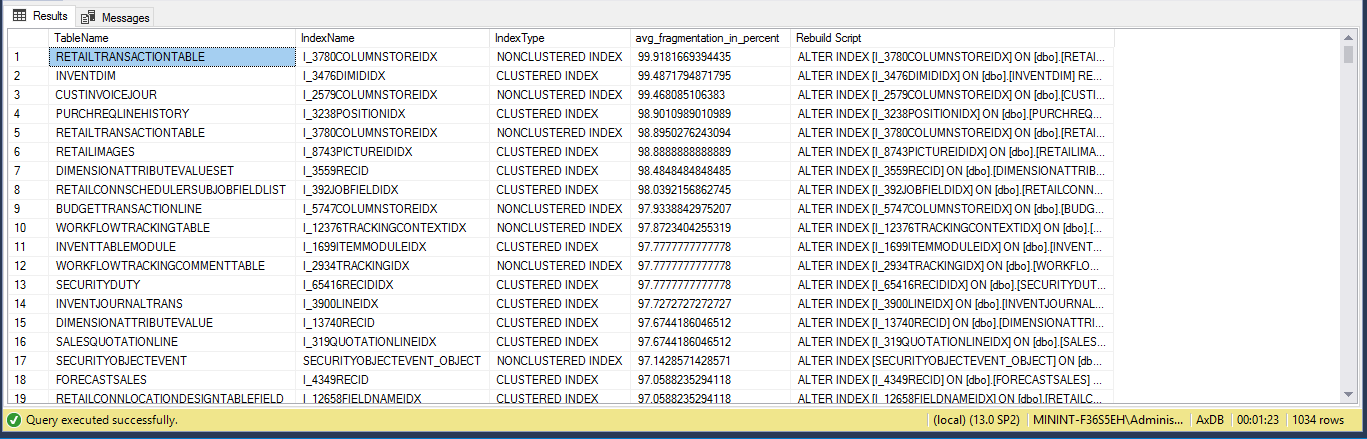
Defragment indexes on D365 Finance & Operations Virtual Machine
After downloading the Dynamics 365 for Finance and Operations 8.1 PU 20 VHD from LCS, I went about optimizing its performance. So far I used it a bit without doing a full compile and it seems to run less than 15 GB of RAM, although I have allocated much more. [...]
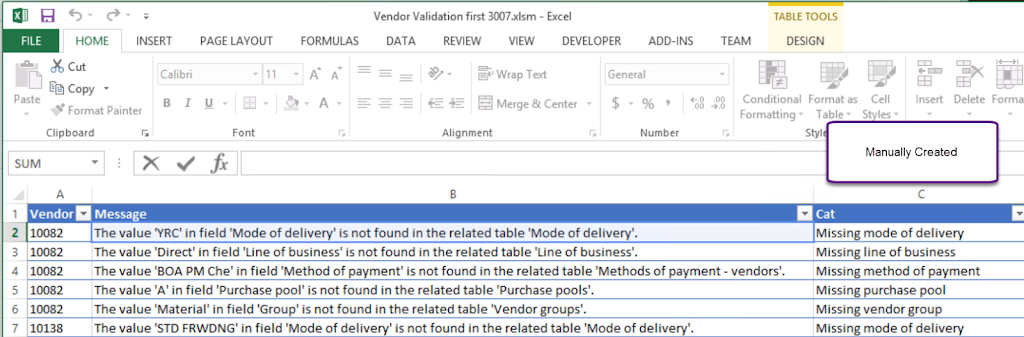
Parse the Missing Values from Validate (DIXF)
I like to validate the data as much as possible throughout the process of migrating data into AX. Usually this means reviewing the input file, loading the file, and clicking "Validate all" before actually running the data into the target table. During the "Validate All" you may receive a plethora [...]
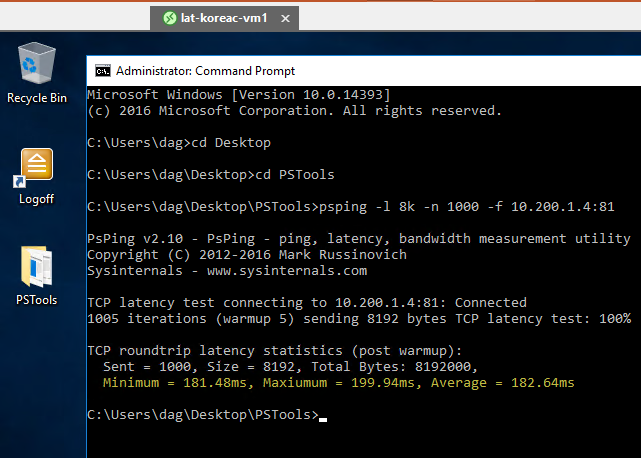
Latency Testing for Dynamics 365 for Finance and Operations
Recently I went on a journey testing the latency of the Azure dark fiber backbone between data centers. This is crucial for a global Dynamics 365 Finance and Operations ("FinOps") implementation. In general bandwidth can be purchased but latency is hard to influence. There are some resources online which provide [...]
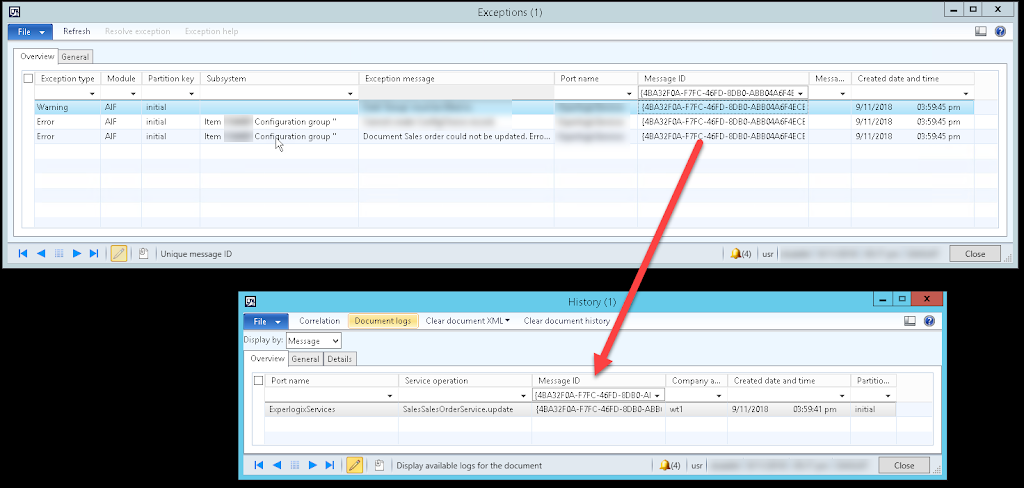
Debug AIF Document Service within AX
Sometimes it is a pain to create a .NET application and attach a debugger to the AOS service just to diagnose a problem with an AIF service. It is possible to do all debugging inside of AX. This example is for a standard AIF document service, however, you can also [...]
Validate AX DLL Versions on Multiple Machines
List the versions for all DLLs which will load in AX using the Get-AxDllVersions. Download the PowerShell script. Run this script against all machines running the AX client (RDP/Citrix/end-user) and servers. This is useful to confirm that all DLLs deployed match in file version.Example 1: Export DLL Versions for Local Machine.Get-AxDllVersions.ps1Example single [...]

Unable to Enable Warehouse Management II License Key
In AX 2012 R3 CU12, after disabling Trade > Warehouse and Transportation Management the Warehouse Management II license cannot be enabled in License information.“You can not add this license code because the following required license codes have not been entered: Warehouse management I”The fix was:1. Kick out other users2. Keep [...]
Unreserve inventory
// Unreserves inventory static void unreserveInventTrans(Args _args) { InventTrans inventTrans; InventDim inventDim; InventDimParm inventDimParm; ; setPrefix(funcName()); select firstOnly inventTrans where inventTrans.StatusIssue == StatusIssue::ReservPhysical join inventDim where inventDim.inventDimId == inventTrans.inventDimId && inventDim.inventBatchId == "M0139812"; if (inventTrans.RecID) { setPrefix(inventTrans.caption()); inventDimParm = InventDimParm::activeDimFlag(inventTrans.inventTable().DimGroupId); if (inventTrans.TransType == InventTransType::ProdLine) { switch [...]
Data Migration: Combining 105 Excel Files in 3 Minutes
I needed to import multiple Excel files into AX; all of them had a very similar format with the same columns. Python to the rescue. Ever since Build 2018 I've been using Visual Studio Code and enjoyed every moment of it, as I build Python scripts to assist me with [...]
The Product variants form can only be opened for a product master
When right-clicking > View Details on a Variant number you may receive the following message "The Product variants form can only be opened for a product master."Call Stack Data DictionaryTablesEcoResProductMasterMethodsgetProductMasterFromCaller 34 ClassesEcoResProductVariantsCompanyHelpernewFromFormRun 18 ClassesEcoResProductVariantsFormHelpernewFromFormRun 21 FormsEcoResProductVariantsPerCompanyMethodsproductVariantsFormHelper 5 FormsEcoResProductVariantsPerCompanyMethodsinit 3 ClassesSysSetupFormRuninit [...]
Generating Random Numbers and Dates (AX 2012)
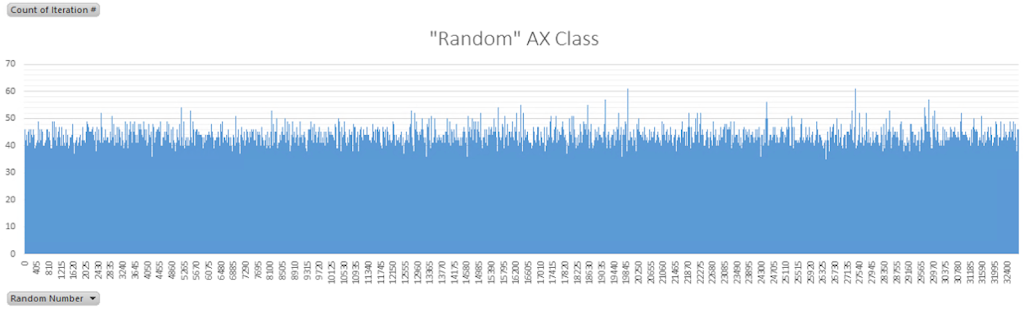
The Random class creates random integer values. Although the range of an int (32 bit) is: [-2,147,483,647 : 2,147,483,647], Random.nextInt() generates values from 0 to 32,767, which is an unsigned 16-bit integer. Let's run the Random class to validate the randomness.The results of generating 1,048,574 random numbers represented as a [...]
pfSense Firewall Error 501
When setting up a new pfSense firewall via the web interface, if you change the ip address and/or device name while connected you may receive the following error: Error: 501 Description: An HTTP_REFERER was detected other than what is defined in System -> Advanced (https://192.168.1.1/). If not needed, this check [...]
Logoff Disconnected Remote Desktop Sessions using PowerShell
AX 2012 users continue to appear active in AX although they have disconnected from their RDP session. You can manually open Task Manager on each RDP server and logoff users who have disconnected. Alternatively, save the following commands as a ps1 file and run it against all RDP servers before [...]
Installing Active Directory Part 2 – Dynamics 365 for Finance and Operations On-Premise at Home – 05
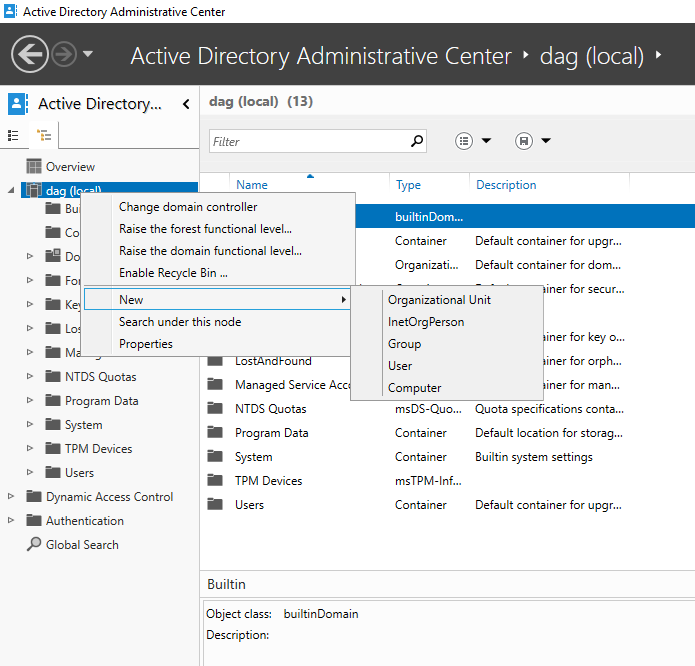
In the prior post we created the primary domain controller. In this article we will configure Active Directory and add a second domain controller.In a later post we'll set up ADFS and Azure Active Directory (AAD)- both of which are required for Dynamics 365 for Finance and Operations.Add an OU [...]
Installing Active Directory Part 1 – Dynamics 365 for Finance and Operations On-Premise at Home – 04
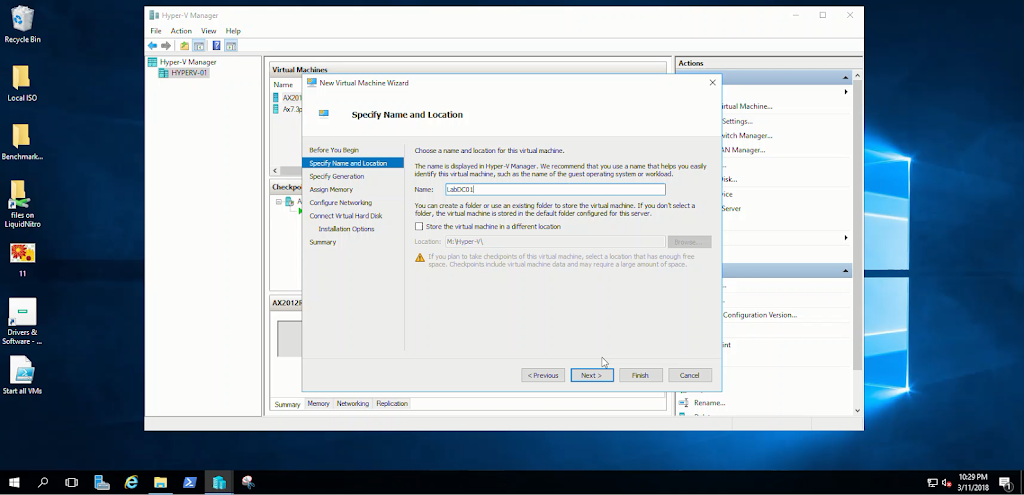
One of the 'shared service' environment requirements for Dynamics 365 for Finance and Operations is an Active Directory domain. There should never be just one Active Directory server, so we'll create two Windows Server 2016 virtual machines. AX needs an Active Directory functional version of at least 2012 R2. The [...]
Attaching an iSCSI LUN to Windows Server 2016 – Dynamics 365 for Finance and Operations On-Premise at Home – 03
Regardless of the NAS device you may be using, the following steps can attach iSCSI storage to your server for VM storage. These are the steps I took: Attach an iSCSI LUN to Windows Server 2016 1. Log into the Hyper-V server 2. Open the iSCSI Initiator program 3. Type [...]
Setting up iSCSI with Synology – Dynamics 365 for Finance and Operations On-Premise at Home – 02
Previous Post: Windows and Hyper-V Installation - Dynamics 365 for Finance and Operations On-Premise at Home - 01To support the number of VMs and possible environments I want to host I will be leveraging a network attached storage (NAS) device to store data. My network backbone is a full gigabit running [...]